CRM providers
Keno Forms can send every lead to one or more CRMs. Enable providers in Keno Forms > Settings > Providers. The lead is always stored locally first, then sent to each enabled CRM, so a CRM outage never loses a lead.
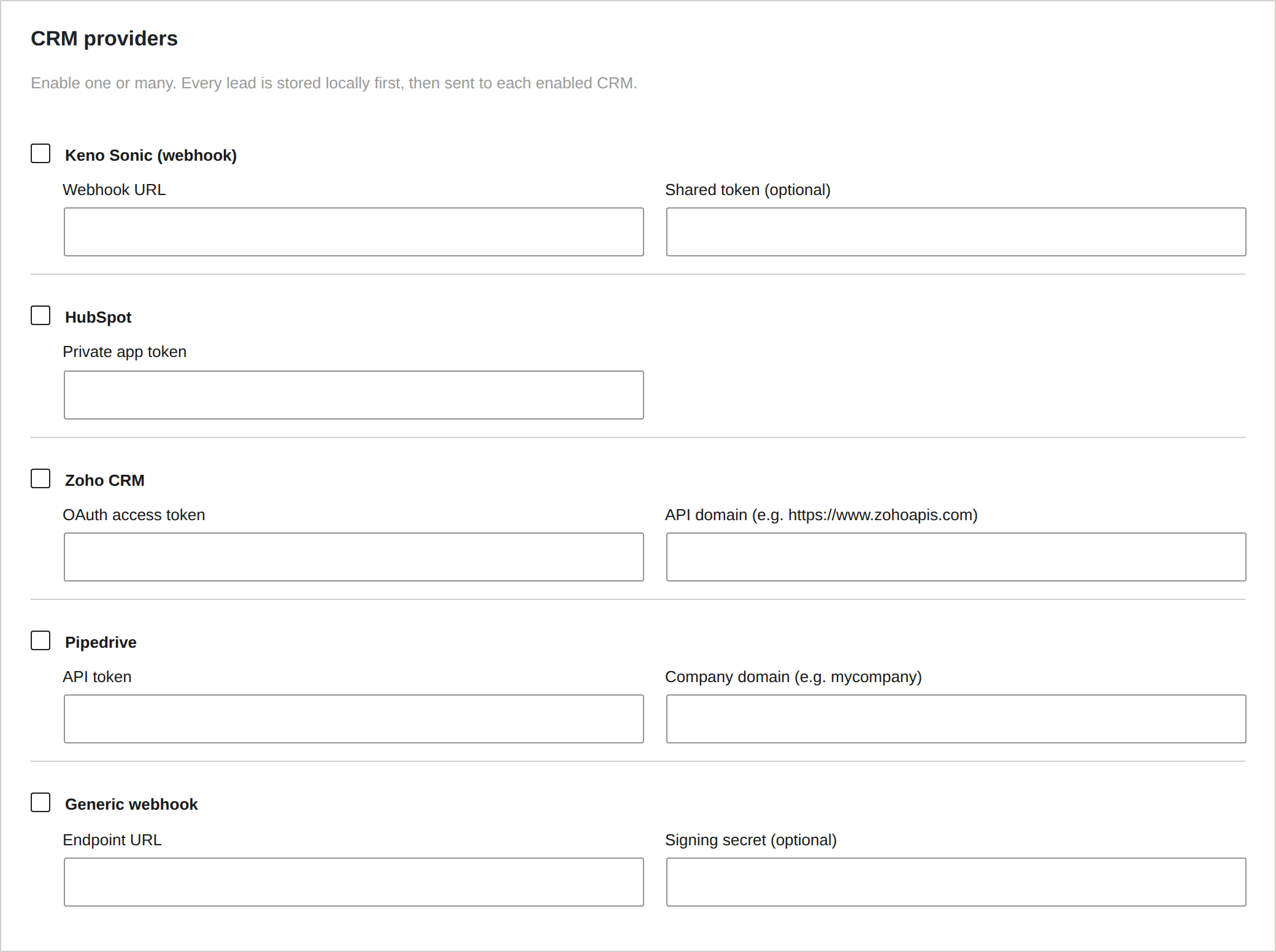
Supported CRMs
| Provider | What it does | You need |
|---|---|---|
| Keno Sonic | Posts the lead to a JSON webhook (for the Keno Sonic studio CRM or any endpoint) | Webhook URL, optional token |
| HubSpot | Creates or updates a Contact via the CRM v3 API | Private app token |
| Zoho CRM | Creates a Lead via the CRM v2 API | OAuth access token, API domain |
| Pipedrive | Creates a Person and a Lead via the v1 API | API token, company domain |
Enabling a CRM
- Tick the provider under CRM providers.
- Fill in its credentials in the fields that appear.
- Save. New submissions are sent to every ticked provider.
You can enable several at once (for example, HubSpot for sales and the Keno Sonic webhook for invoicing).
Field mapping
The default form's field keys map cleanly to each CRM:
| Keno Forms key | Maps to |
|---|---|
contact_person | Name (split into first/last where the CRM needs it) |
email | |
phone | Phone |
business_name | Company |
inquiry_message | Message / description |
campaign_source | Lead source |
If you rename field keys in the builder, keep these keys for the values you want mapped automatically.
Getting credentials
- HubSpot: Settings > Integrations > Private Apps. Create an app with the
crm.objects.contacts.writescope and copy its token. - Zoho CRM: create a Self Client in the Zoho API console and generate an
access token for the
ZohoCRM.modules.ALLscope. Set the API domain to your region (for examplehttps://www.zohoapis.com). - Pipedrive: Settings > Personal preferences > API, copy your API token. Your company domain is the first part of your Pipedrive URL.
Adding your own CRM
Developers can register a custom provider by implementing KF_CRM_Provider and
hooking kf_register_providers:
add_action( 'kf_register_providers', function ( $dispatcher ) {
    $dispatcher->add_crm( new My_Custom_CRM() );
} );