Theming
The front-end form is not locked to the Keno Sonic look. It adopts your brand. Set colours, fonts, and corner radius in Keno Forms > Settings > Theme, with a live preview beside the controls.
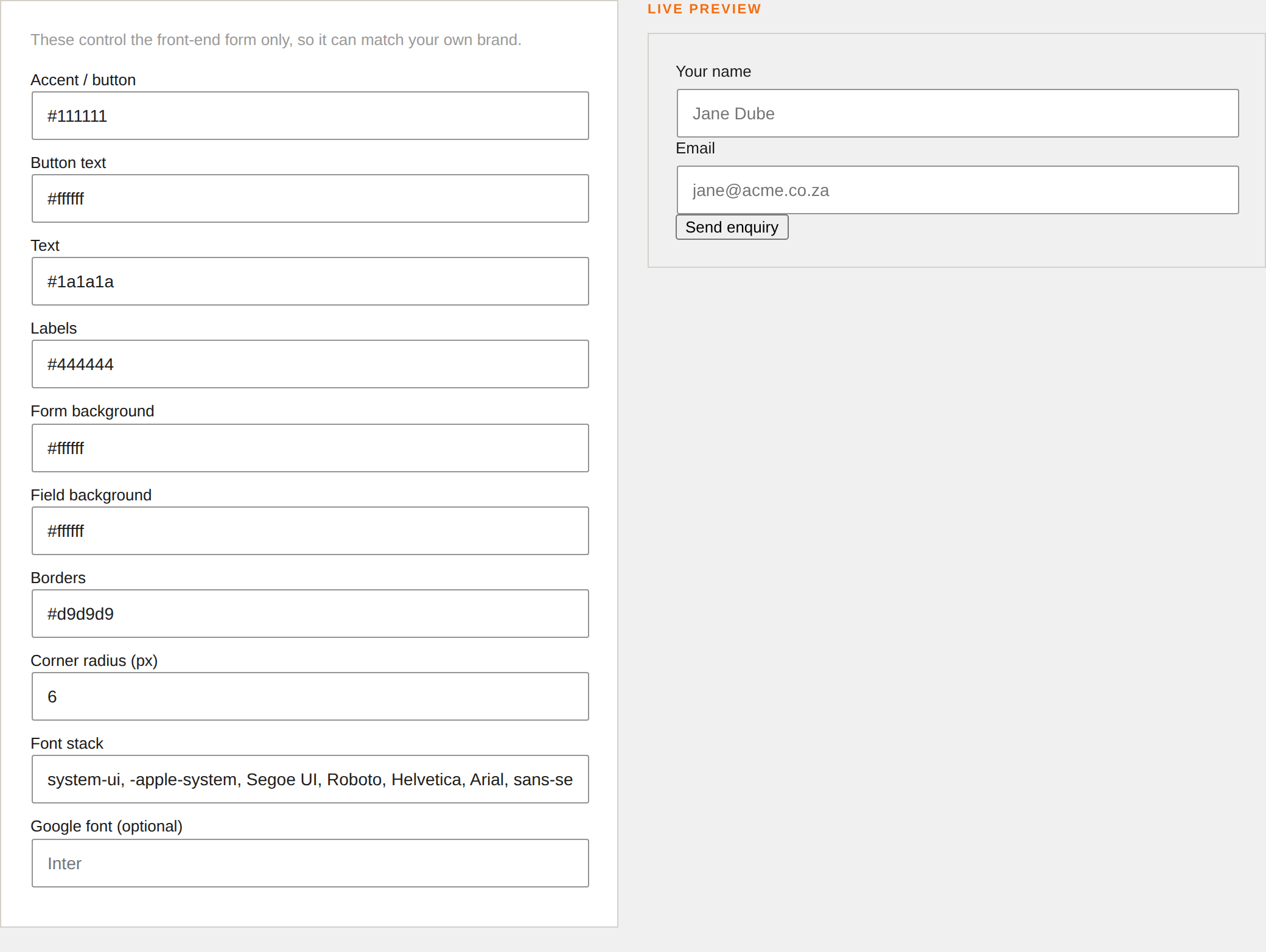
What you can set
| Control | CSS variable | Applies to |
|---|---|---|
| Accent / button | --kf-accent | Buttons, focus rings, required marks |
| Button text | --kf-accent-text | Text on the submit button |
| Text | --kf-text | Field text |
| Labels | --kf-label | Field labels |
| Form background | --kf-bg | The form container |
| Field background | --kf-field-bg | Inputs and textareas |
| Borders | --kf-border | Field borders |
| Corner radius | --kf-radius | Inputs and buttons |
| Font stack | --kf-font | The whole form |
How it works
Your choices compile to a scoped block of --kf-* CSS variables on the form
wrapper. The form's stylesheet only describes layout and pulls every colour,
font, and radius from those variables, so the form matches your site without any
custom CSS.
.kf-form {
  --kf-accent: #2563eb;
  --kf-radius: 10px;
  --kf-font: "Inter", system-ui, sans-serif;
}
Fonts
The Font stack field accepts any CSS font-family value, so you can match a
font your theme already loads. To pull in a Google Font the plugin will load for
you, enter its name in the Google font field (for example Inter or
Poppins).
Going further
If you prefer to control styling from your theme, you can override any --kf-*
variable (or the .kf-* classes) in your own stylesheet. The plugin's rules are
low-specificity by design so your overrides win.