Source detection & UTMs
Because the same form is dropped on many pages, every submission records which page it came from. This is automatic: there is nothing to configure per page.
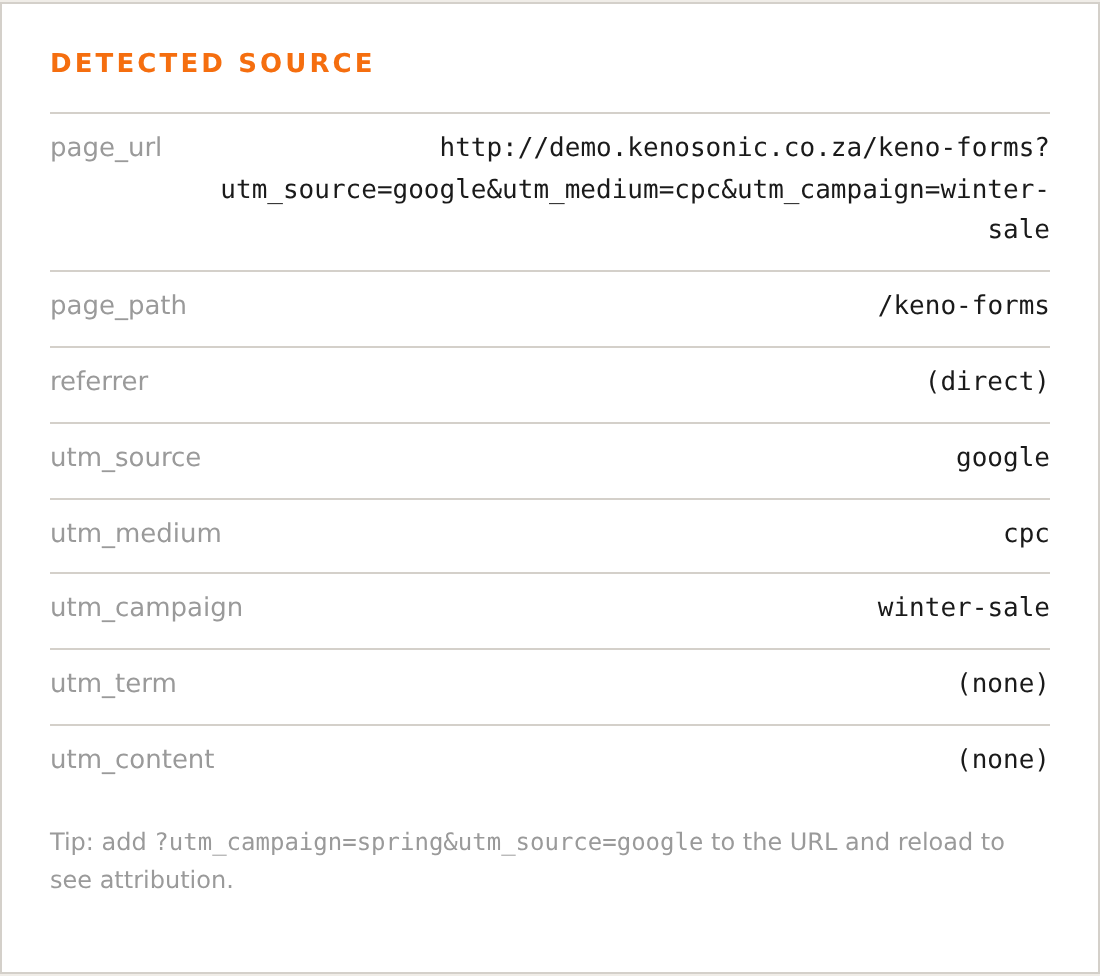
What is captured
On render and submit, Keno Forms captures:
- Page URL and path (where the form was submitted)
- Page title
- WP post id and post type
- Referrer (the page the visitor arrived from)
- UTM parameters:
utm_source,utm_medium,utm_campaign,utm_term,utm_content
These ride along with the lead and are attached to the stored entry, forwarded to your CRM, and included in the analytics events.
First-touch UTMs
UTM parameters are captured first-touch: the first time a visitor lands with UTMs, they are stored in a short-lived cookie (30 days). If that visitor browses to another page and converts there, the original campaign is still attributed. If a later visit brings new UTMs, they replace the stored set.
Campaign attribution
Each lead gets a single campaign_source value for reporting, resolved in this
order:
- A
campaignattribute on the shortcode, if set. - The
utm_campaignvalue, if present. - The page path the form was submitted from.
Why it matters
Consistent source data means your CRM shows where each lead came from, and your GTM/GA4 conversions can be broken down by landing page and campaign without extra tracking code.